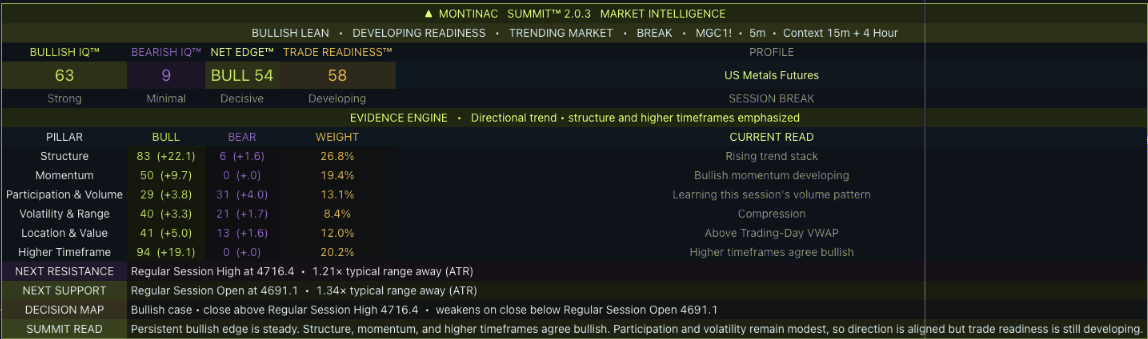
Detailed mode exposes Structure, Momentum, Participation, Volatility, Location and Higher Timeframe. Each pillar contributes to the evidence scores.
Earlier Summit v2.0.3 interface capture. The current update is v2.1; presentation may differ. Montinac colors applied. Guided stills, not a live chart, video or performance record.
Read pressure without pretending it is order flow.
The lime–amethyst bar estimates buying and selling pressure from total candle volume and closing location. Developing readings can change before the close.
This saved view says LOCKED because its session signal limit was reached. It limits the indicator’s new signals—not your broker orders or account risk.
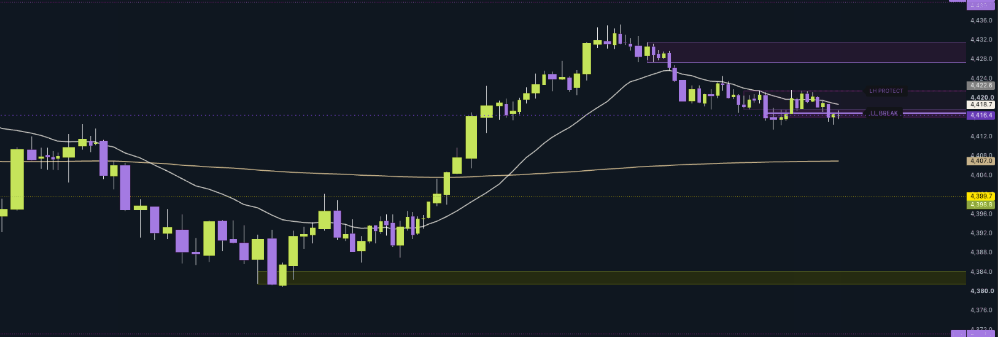
Earlier Obsidian v7.0 beta capture. The current product is v7.1; some details differ. Montinac colors applied. Guided stills, not a live chart, video or performance record.
Built for TradingViewInspectable product demosAll features in every planNo automated execution
MONTINAC TRADING COMMUNITY
Bring your chart. Join the conversation.
Free tools are a starting point. Join us on Discord for live gold sessions, chart discussion, and help with your setup.
From $39/monthAnnual & lifetime available · Sold separately
A DECISION, NOT JUST A DASHBOARD
Bullish doesn’t always mean ready.
Summit separates the evidence for direction from the conditions around it. In this saved example, the bullish case leads while Readiness remains Developing.
No. Summit and Obsidian are separate products with different jobs. Choose Summit for market context and readiness, or Obsidian for structure-based futures pullbacks. Each plan covers the named indicator only.
What happens after checkout?
We verify your paid order and the TradingView username you provide, then manually authorize that account. Payment does not instantly install the indicator. Keep your receipt and use My access or contact support for access questions.
Are TradingView and market data included?
No. A TradingView account is required. Any applicable TradingView subscription, real-time data, broker service or exchange fee is separate. Check the chart and alert capacity of your own plan before purchase.
Do the plans have different features?
No. Monthly, annual and lifetime options include the complete selected indicator while access is active. Monthly and annual plans renew until canceled. Lifetime is one payment for ongoing access to that indicator and eligible updates under the service terms; it does not include other or future products.
Does it trade for me or guarantee results?
No. These are analysis tools. You control entries, exits and protective orders. Scores are not winning probabilities; Obsidian’s plans are model references, not broker fills or protected positions. Review the risk disclosure.
Can I cancel, and what is the refund policy?
Monthly and annual subscriptions can be canceled before renewal, with access through the paid period. Review the current refund policy before purchasing. Contact support for account assistance.
PUT CLARITY ON YOUR CHART
Your indicator. Every feature included.
Monthly, annual or lifetime. Summit and Obsidian sold separately.

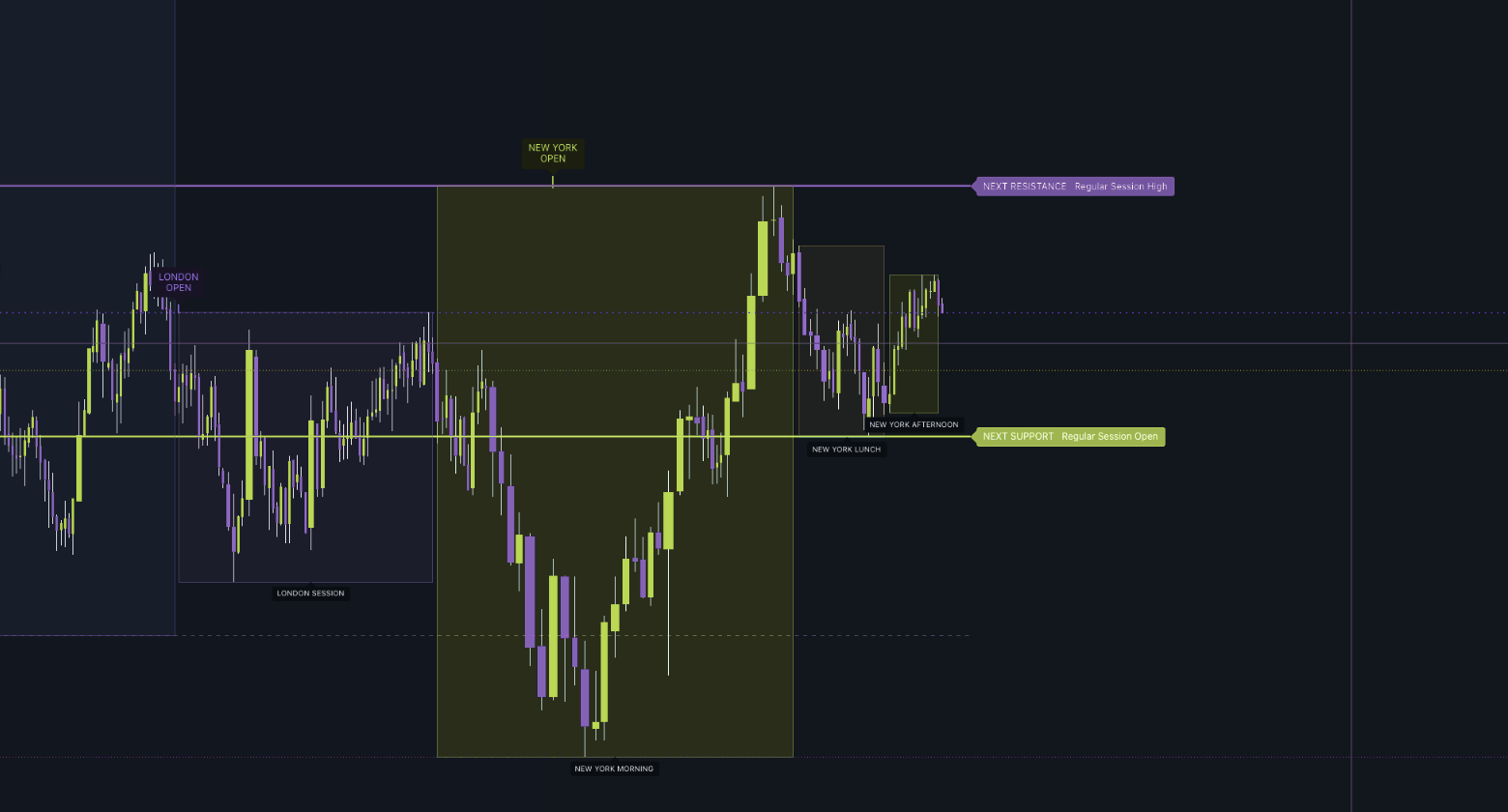




 THE MARKET-CONTEXT TOOL